

Why Strategic QR Code Design Matters in 2025
The generic black-and-white QR code is a relic. In a market where every touchpoint matters, presenting a plain, unbranded code is a missed opportunity. Think of a custom QR code as a visual handshake. It communicates your brand’s professionalism and identity before a phone is even pointed at it. This initial impression is critical. A well-designed code builds immediate trust, reducing the hesitation users feel, especially in sensitive sectors like healthcare or government where legitimacy is non-negotiable. This is how you achieve effective QR code for brand recognition. But it goes beyond aesthetics. The design sets an expectation for what comes next. A polished, branded code signals a seamless and secure post-scan workflow, whether it leads to product information, event registration, or a secure portal. It’s the first step in a deliberately crafted user journey.
Foundational Principles for Scannability and Style

Before you start adding brand flair, you must respect the technical rules that make a QR code work. Ignoring them leads to frustration and failed scans. The most important principle is contrast. While using brand colors is tempting, the code’s foreground pattern must be significantly darker than its background. A light yellow pattern on a white surface simply will not scan. Always test your color combinations, and when in doubt, stick to a dark-on-light scheme.
Next, every code needs a quiet zone. This is the blank margin surrounding the code, and it is functional, not decorative. Scanners need this empty space to isolate the code from other visual elements. As a rule, ensure the quiet zone is at least the width of four of the code’s small data modules on all sides.
Finally, understand error correction. This feature allows a code to remain scannable even if a portion is obscured, for instance, by a logo. There are four levels: Low (L), Medium (M), Quartile (Q), and High (H). A higher level like H allows for more of the code to be covered but creates a denser, more complex pattern. For most branded applications, Level Q offers the best balance between design flexibility and reliable scannability.
Understanding QR Code Error Correction Levels
| Error Correction Level | Data Restoration Capability | Ideal Use Case |
|---|---|---|
| Level L (Low) | ~7% | Clean, controlled environments with no branding elements obscuring the code. |
| Level M (Medium) | ~15% | General marketing use with minimal design elements. A good default for simple color changes. |
| Level Q (Quartile) | ~25% | Recommended for codes with a centrally placed logo, balancing design and scannability. |
| Level H (High) | ~30% | Industrial or complex environments where the code might get dirty or damaged, or for intricate designs. |
This table outlines the trade-offs between error correction levels. Choosing the right level is essential for ensuring your custom QR code design remains scannable after adding logos or other brand elements.
A Step-by-Step Process for Brand Integration
Integrating your brand into a QR code is a methodical process. Following these steps ensures your design is both attractive and functional.
First, let's address how to add logo to QR code. Your logo should be placed directly in the center. However, it must not obscure too much of the code. A good guideline is to keep the logo’s coverage to under 25% of the total area, which works in tandem with the error correction level you’ve chosen. Use a simplified or icon-only version of your logo for maximum clarity on small screens. A complex logo will become an unreadable smudge.
Second, choose your brand colors strategically. Building on the principle of contrast, apply colors where they won’t interfere with scanning. Using a bold brand color for the corner "eyes" of the code is a great way to add personality without risk. Some platforms even allow for gradients, but you must ensure the pattern remains significantly darker than the background across the entire code. Avoid using light or pastel colors for the data modules themselves.
Third, modify the shapes and patterns. Modern platforms like Autonix provide powerful custom QR code design tools. You can change the shape of the data modules from squares to dots or rounded rectangles. The corner eyes can also be customized. These subtle adjustments help align the code’s visual feel with your brand identity. A company with a friendly, approachable brand might use rounded shapes, while a technology firm might prefer sharp, angular patterns.
Connecting Design to the Post-Scan Workflow
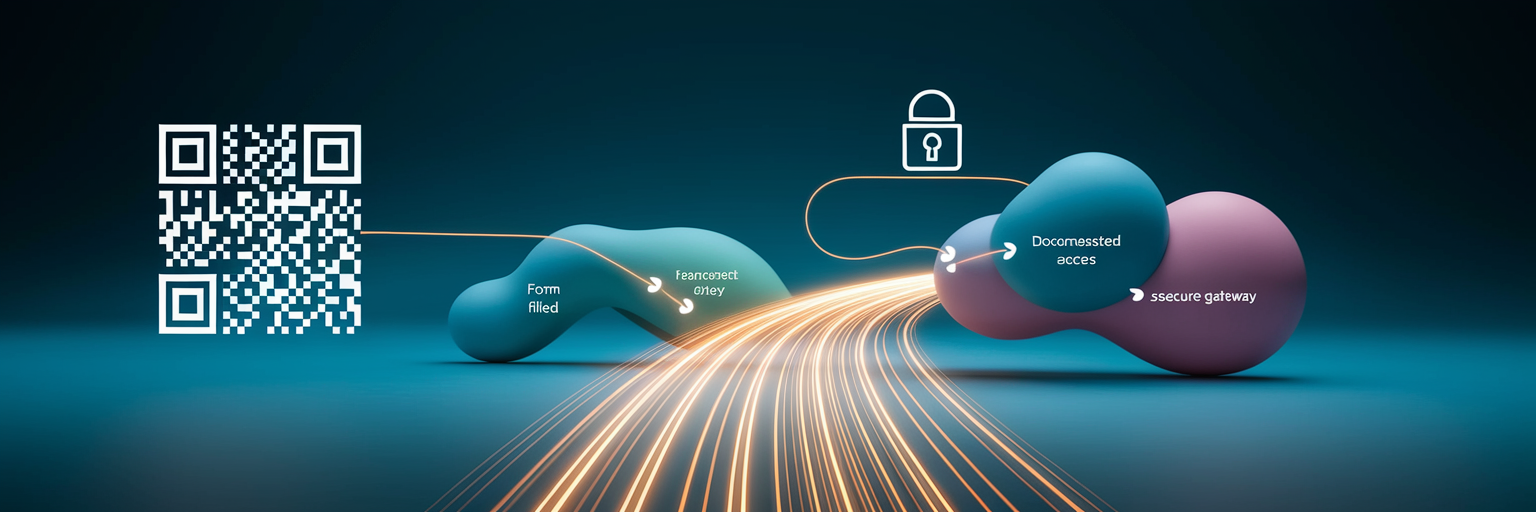
A custom QR code makes a promise. Its professional appearance suggests a high-quality experience awaits after the scan. A beautifully branded code that leads to a broken link or a desktop site that’s unreadable on mobile instantly breaks that promise and erodes trust. The design itself can manage expectations. For example, a code for a manufacturing company that subtly incorporates a gear icon in its design hints that it links to technical specifications, not a marketing page.
This is where the true value of enterprise QR code solutions becomes clear. The journey shouldn't end at a simple website redirect. A well-designed code can initiate powerful post-scan workflows that deliver tangible results. Imagine a code on industrial equipment that launches a warranty registration form, one on a government notice that provides secure access to a citizen portal, or one in a facility that logs a janitorial service request. These are not just links; they are operational tools. The design is the gateway, but the workflow is where the real work gets done. At Autonix, we build these custom flows to meet specific business needs, turning a simple scan into a productive interaction. You can explore some of these advanced applications on our solutions page.
Testing and Deploying Your Custom Code
Creating your custom QR code is only half the job. Rigorous testing is a non-negotiable quality assurance step. A code that fails to scan in the field is worse than having no code at all. Follow a clear testing protocol before any public deployment.
- Test across devices and apps. Scan your code using a variety of smartphones, both iOS and Android, and with different native camera apps and third-party QR readers. What works on an iPhone might not work on an older Android device.
- Simulate real-world conditions. Test from various distances and angles. Check how it performs in the actual environment where it will be used. For an industrial setting, that means testing under factory lighting or on a curved surface. For a public poster, test it in both bright sunlight and evening shadows.
- Choose the right file format. This is critical. For any print materials, from business cards to large banners, always use a vector format like SVG. It can be scaled to any size without losing quality. For digital use, such as on websites or in emails, a high-resolution PNG is suitable.
Measuring the Impact of Branded QR Codes
To understand the true value of your efforts, you must measure performance. This is where dynamic QR codes become essential and form the core of branded QR code best practices. Unlike static codes, dynamic ones allow you to track every scan, providing data on location, time, and device type.
This data allows for powerful optimization. You can A/B test different designs in a campaign to see which version generates more scans. Does a blue code outperform a black one? Does adding a call-to-action frame increase engagement? Analytics provide the answers.
Ultimately, the goal is to connect scans to business outcomes. Instead of just counting interactions, use a platform with robust tracking capabilities to measure what happens after the scan. Track form completions, file downloads, or warranty registrations. This is how you move from simply using QR codes to building a measurable, high-return channel for your business.